Farm Tracker App
Streamlining farm management from the field to the corporate dashboard.
UI/UX
Product Design
Project Overview
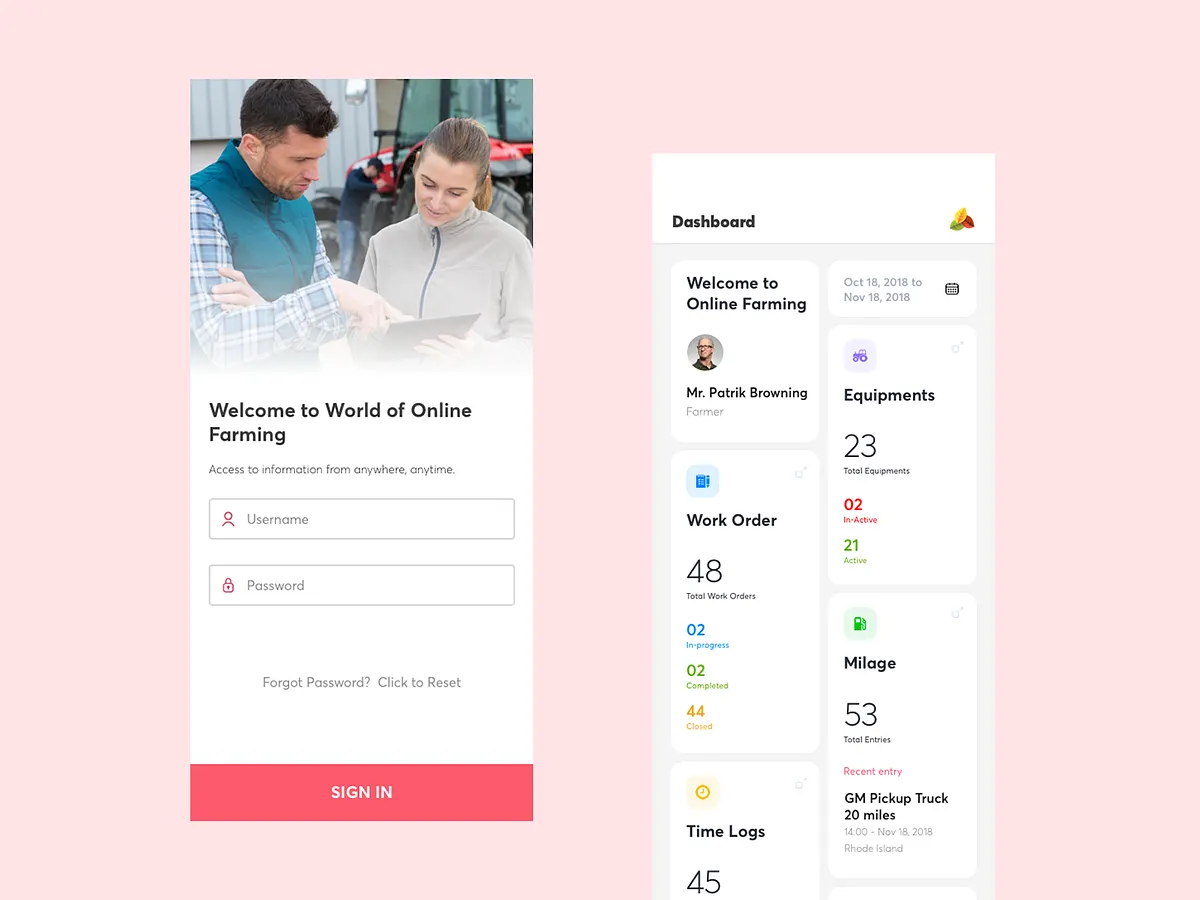
The Farm Tracking App is an enterprise-grade mobile solution designed for big corporate farming companies. It acts as a digital command center for field-based farm managers, allowing them to seamlessly log daily operations, track expenses, manage work orders, and monitor equipment and vehicles. All field data is instantly synced to a centralized database, powering a real-time web dashboard used by corporate stakeholders for high-level monitoring and decision-making.
Platform: Mobile App (Optimised for field use) & Web Dashboard Integration
Technology: Native (iOS & Android), React
My Role: Led the end-to-end UX/UI design for the mobile application. Conducted workflow mapping for complex agricultural operations, designed offline-first data entry experiences, and ensured the app architecture effectively synced with the corporate dashboard.
Problem Statement:
Corporate farming operations suffered from a massive disconnect between the field and the office. Farm managers relied on fragmented tools, paper logs, or complex spreadsheets to track labor, machinery, and daily expenses. This manual process led to severe data lag, lost information, human error, and a lack of real-time operational visibility for corporate decision-makers.
Existing app Pain Points:
Heavy reliance on manual, error-prone paper logs and spreadsheets
Lack of internet connectivity in remote fields leading to lost or delayed data entry
Fragmented tracking systems (separate tools for vehicles, labor, and crop operations)
High cognitive load for farm managers trying to report data at the end of an exhausting day
Information architecture:
Simplified tab navigation focused on daily critical tasks: Home (Daily Overview) → Work Orders → Assets (Vehicles/Equipment) → Time Logs/Labor → Expenses.
Introduced a universal "Quick Add" floating action button (FAB) for fast, on-the-go logging of any operational metric without breaking the current workflow.
Wireframes Mockups:
Explored various form-fill patterns suited for outdoor, on-the-move environments (e.g., smart defaults, voice-to-text, and large tap targets vs. standard text inputs).
Evaluated data-sync UI patterns to clearly communicate to users when their data was stored locally (offline) versus synced to the corporate cloud.
Final decision prioritized an "offline-first" architecture with clear visual indicators for sync status, and step-by-step wizard forms to reduce cognitive fatigue.
Solution:
Key Features:
Comprehensive Daily Logging: Centralized tracking for operations, time logs, labor, and daily expenses.
Asset & Fleet Management: Real-time status updates for equipment and vehicles (e.g., maintenance needs, fuel usage, location).
Work Order Management: Ability to receive, assign, and complete tasks directly from the corporate office.
Offline-First Syncing: Allows managers to log data deep in the field without signal, automatically syncing to the central dashboard once connectivity is restored.
UI Design:
High-Contrast Interface: Designed specifically for outdoor readability under harsh, direct sunlight.
Ergonomic Design: Extremely large touch targets and simplified data entry to accommodate users wearing gloves or operating heavy machinery.
Clear Status Indicators: Visual cues (like cloud icons with checkmarks) to reassure users that their field data successfully reached HQ.
Outcomes:
Eliminated paper-based tracking, drastically reducing data entry errors and saving managers hours of manual reporting each week.
Bridged the gap between field and office, providing corporate HQ with real-time, actionable insights into daily farm operations and expenses.
Improved maintenance cycles for expensive farm equipment through accurate, centralized fleet logging.
Key Learnings:
Context is everything: Designing an app for a manager sitting in an air-conditioned office is vastly different from designing for someone standing in a muddy field under the blazing sun. Contrast and tap targets must scale accordingly.
Offline-first is a UX requirement, not just a technical one: Users need absolute visual reassurance that their data isn't lost when they drop offline.
Reduce form fatigue: In B2B field apps, utilizing smart defaults (auto-filling dates, locations, or standard equipment) is critical to user adoption.