Kidswat App
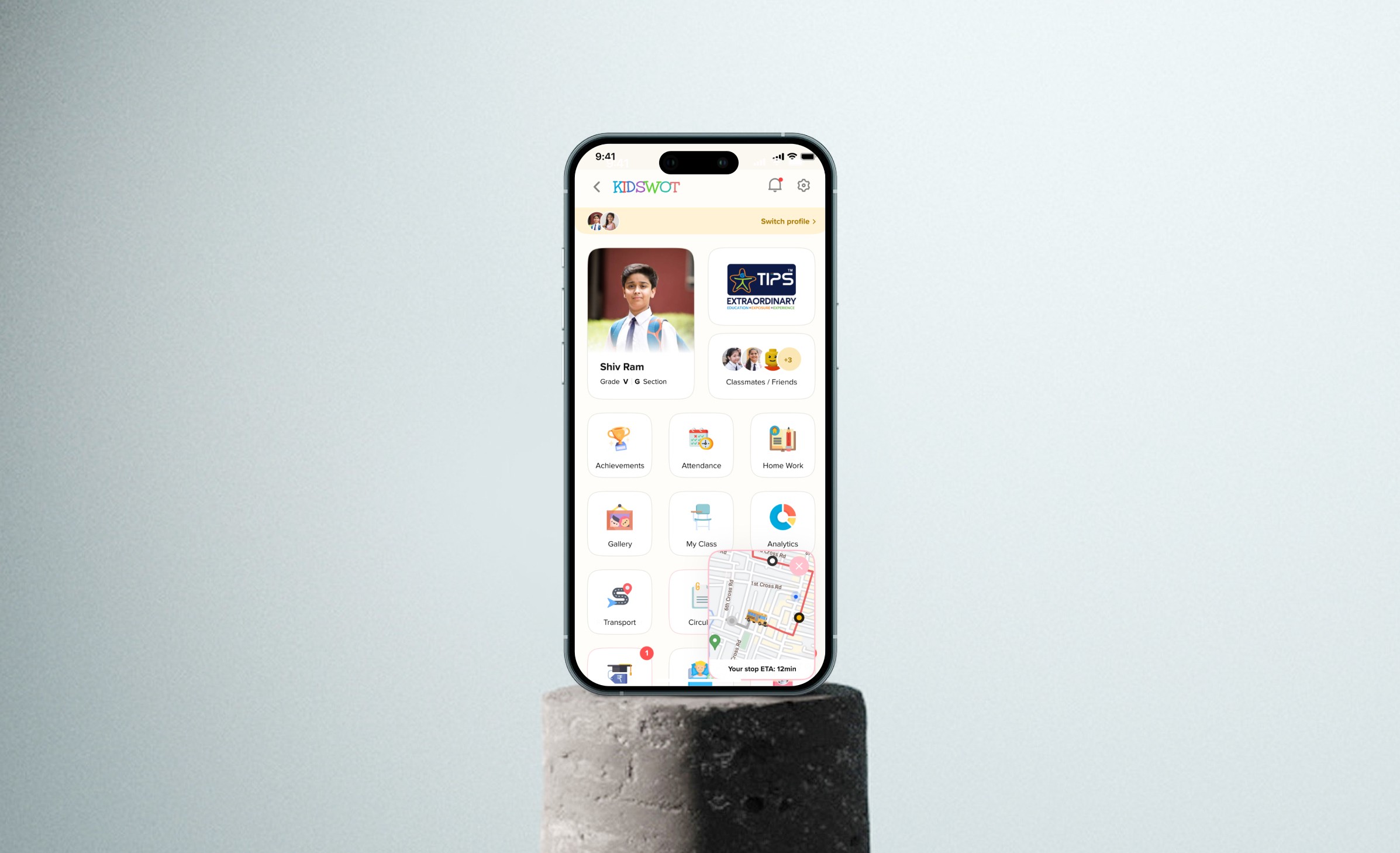
Kidswot is a comprehensive school ERP platform designed to streamline communication, academic tracking, and administrative workflows for schools, teachers, parents, and students.
UI/UX
Product Design
Project Overview
Kidswot aims to digitise school operations by providing a centralised platform for managing attendance, assignments, communication, fees, and performance tracking. The goal was to create a seamless experience across multiple stakeholders with varying levels of tech familiarity.
Platform: Education
Technology: Web App, Mobile App (iOS & Android)
My Role: Led end-to-end product design including user research, experience design, information architecture, wireframing, UI design, and usability validation in collaboration with product managers and engineering teams.
Problem Statement
Schools relied on fragmented systems and manual processes, leading to:
Inefficient communication between teachers and parents
Lack of real-time student performance tracking
High administrative workload
Poor user adoption due to complex and outdated interfaces
Existing app Pain Points:
Overloaded dashboards with poor hierarchy
Difficult navigation across modules (attendance, homework, fees)
Lack of personalisation for different user roles
Low engagement from parents due to usability issues
Information Architecture
Redesigned IA based on user roles:
Parents: Child progress, fees, communication
Teachers: Attendance, assignments, class management
Admins: Reports, school operations
Introduced:
Role-based dashboards
Clear module grouping
Priority-based content visibility
Wireframes / Mockups
Created low-fidelity wireframes to simplify complex workflows
Iterated on dashboard layouts to improve scannability
Tested navigation patterns for quick access to key actions
Focus: Reduce cognitive load and improve task completion speed
Solution
Key Features Designed
Role-based dashboards for personalised experiences
Streamlined attendance flow for quick marking
Assignment & homework tracking with clear status indicators
Integrated communication system (announcements, messages)
Fee management module with reminders and payment tracking
UI Design
Clean, structured layouts to handle data-heavy screens
Consistent design system across web & mobile
Color-coded statuses (attendance, assignments, alerts)
Improved readability for non-tech-savvy users
Outcomes
Improved usability and navigation across modules
Increased engagement from parents and teachers
Reduced administrative effort through streamlined workflows
Higher adoption due to simplified user experience
Key Learnings
Designing for multiple user roles requires strong IA foundations
Simplicity is critical in data-heavy enterprise products
Prioritisation of information significantly improves usability
Continuous feedback from real users (teachers/parents) is essential